ROM stands for Read Only Memory. As the name suggests, this type of memory can only be read; unlike RAM, it cannot be read and written at any time. It only allows one write opportunity after production, and once the data is written, it cannot be changed. Another characteristic is that the data is not lost after power failure and can be stored for hundreds or even thousands of years. Mobile phone ROM refers to the memory that stores the phone’s firmware code (the common term “flashing” refers to rebuilding the ROM to your liking), such as the phone’s operating system and some applications like games.
What does Mobile Phone ROM mean?
Mobile phone ROM mainly refers to the internal storage space of the phone for data, programs, and documents. If this space is insufficient, external cards such as SD cards and MMD cards can be used to meet document storage needs. Mobile phone RAM, on the other hand, mainly refers to the phone’s memory, primarily serving as the cache stack required for software operation, and generally has a direct impact on the phone’s operating speed.
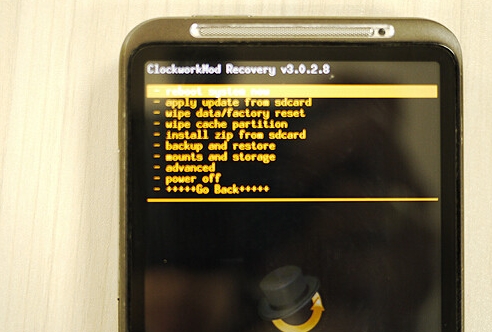
The function of Mobile Phone ROM
Mobile phone RAM is random access memory, characterized by its volatility, meaning it is lost when power is off. Mobile phone ROM usually refers to solidified memory (write-once, read-repeated), which is the opposite of mobile phone RAM. RAM is analogous to a computer’s main memory. ROM is analogous to one of the hard drives in a computer, and an inserted card is analogous to an expansion hard drive (a second drive).
The Working Principle of Configuration Registers
Regarding the question of what mobile phone ROM means, ROM and RAM in a mobile phone are the same as ROM and RAM in a computer; they are all names of storage devices. ROM stands for read-only memory, and in simpler terms, ROM can be understood as the phone’s hard drive, where we store data. However, the ROM in a mobile phone is somewhat different from a hard drive in the general sense. Although the ROM in a mobile phone can store data, we can only read it under normal circumstances, not write to it. This is why it is called “read-only memory.” Only under specific professional conditions can we write data to the ROM. Due to this special nature of ROM, many mobile phone system files are stored in the ROM. Therefore, we cannot modify the phone’s system files under normal circumstances. However, currently, through some special methods, we can also write data to the ROM. This is what we often call flashing the ROM.
Mobile ROM
A complete ROM root directory will contain the following folders and files: data, META-IN, system, and boot.img. (data) is the directory where user-installed applications are located. (META-IN) is the directory containing system-related information; customizing a ROM and modifying system version information is typically done here. (system) is the system directory, equivalent to the Windows folder on a PC. (boot.img) is an image file, also known as the kernel, which is generally used when porting a ROM.
