There are two main ways to enter Safe Mode on a Samsung phone:
1. Enter Safe Mode During Power-On
With the phone powered off, press and hold the power button to turn it on.
When the Samsung logo appears, quickly press and hold the volume down button.
Continue holding the volume down button until “Safe Mode” appears in the lower left corner of the screen. The phone is now in Safe Mode.
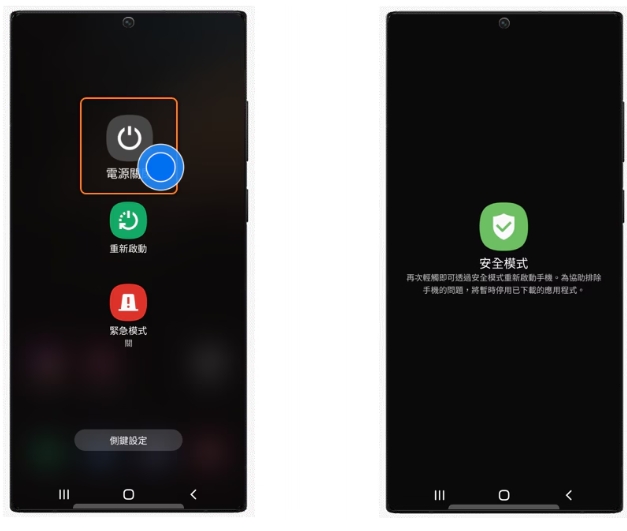
2. Enter Safe Mode Through System Settings
Press and hold the power button. When options such as “Power Off/Reboot/Airplane Mode” appear, select “Power Off”.
In the pop-up menu, select “Enter Safe Mode?” and tap “OK” to enter Safe Mode.
In Safe Mode, the phone only loads essential system and application programs, disabling third-party applications. It’s primarily used for troubleshooting and resolving abnormal phone operation issues.
